~/blog / hello-recap360
What lives inside a 360 movie file?
My curiosity began with these captured files that wouldn’t play in QuickTime Player on their own. So what was inside them that made them tricky?
HVC1 Video Tracks
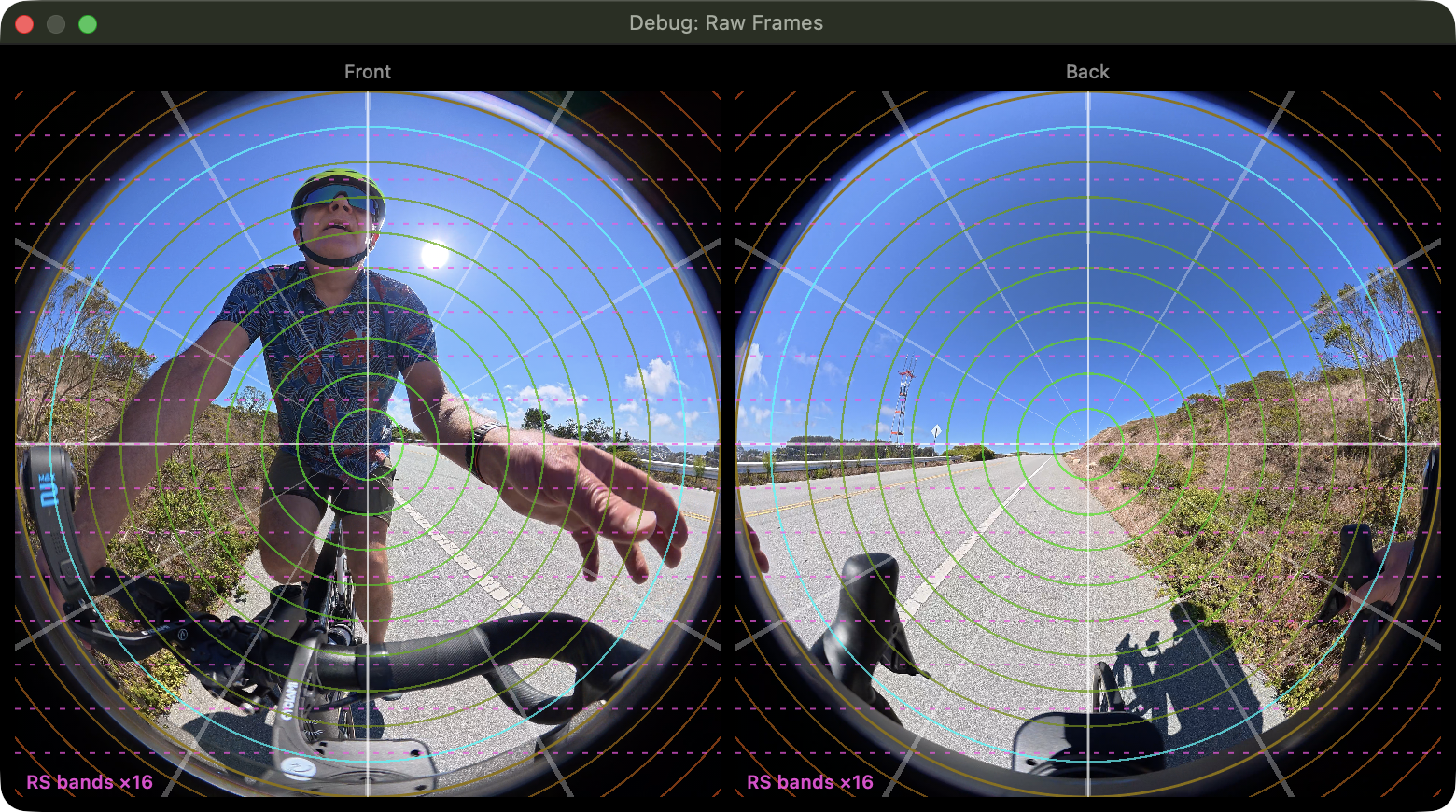
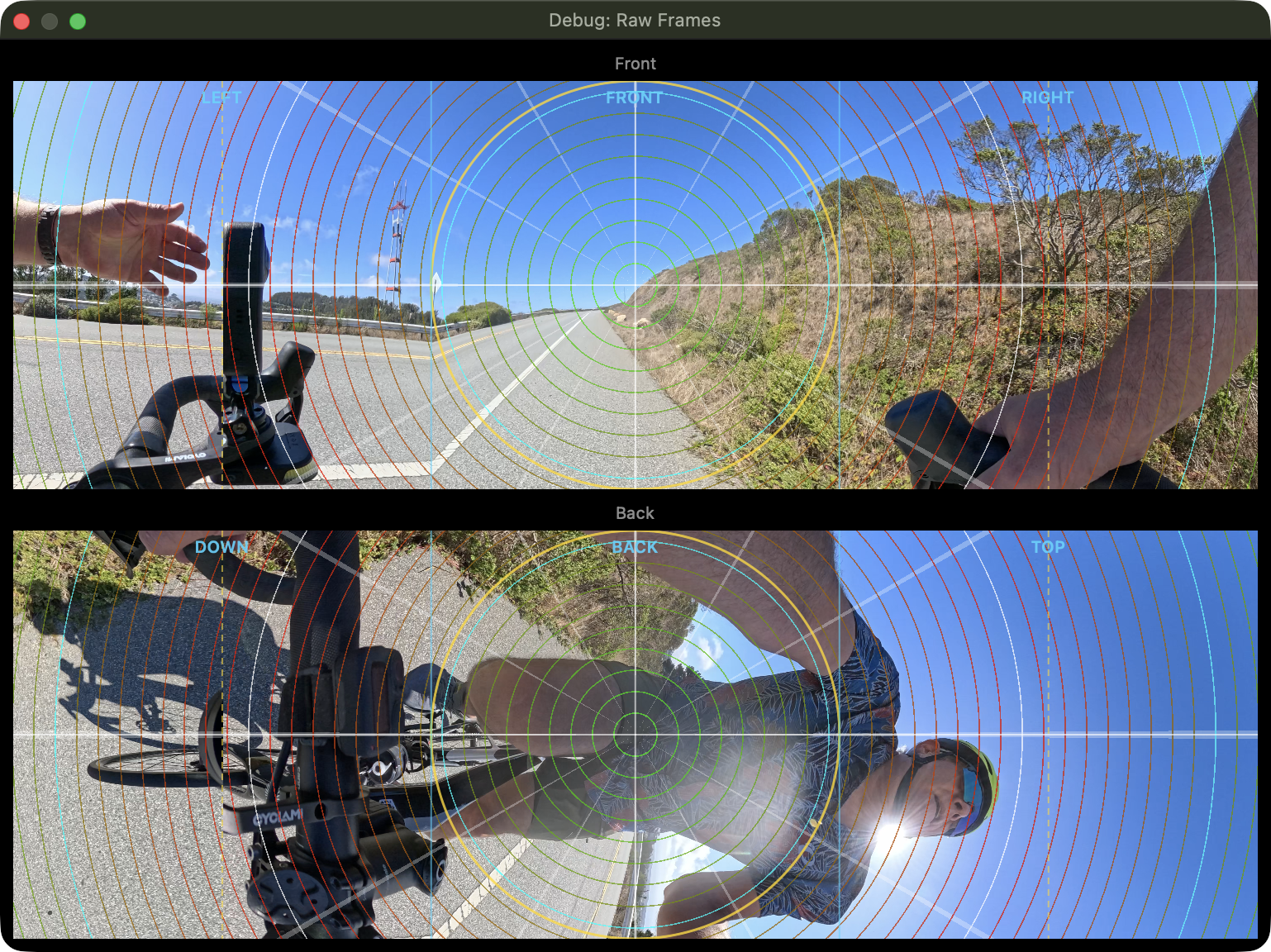
Every DJI and GoPro file contains two HVC1/H.265 video tracks; one for the ‘front’ lens and one for the ‘back’, roughly.
But the way the different cameras lay out the contents of the video is quite varied; let’s use Recap360’s “debug flat view”Debug Flat View is a debugging-only view, and doesn’t ship in the App Store version. Quite useful during development though. to see them.
DJI Osmo 360 video tracks are classic fisheye camera images, straight off the CMOS sensor:
GoPro MAX is doing something very different. Clearly they’re doing a lot of processing before writing these to the microSD card:
The big picture: all the tracks
Let’s use AtomicBrowser, a utility app I made, to peer into the innards of these files. You can see the separate video tracks, as well as audio & a surprising amount of metadata.
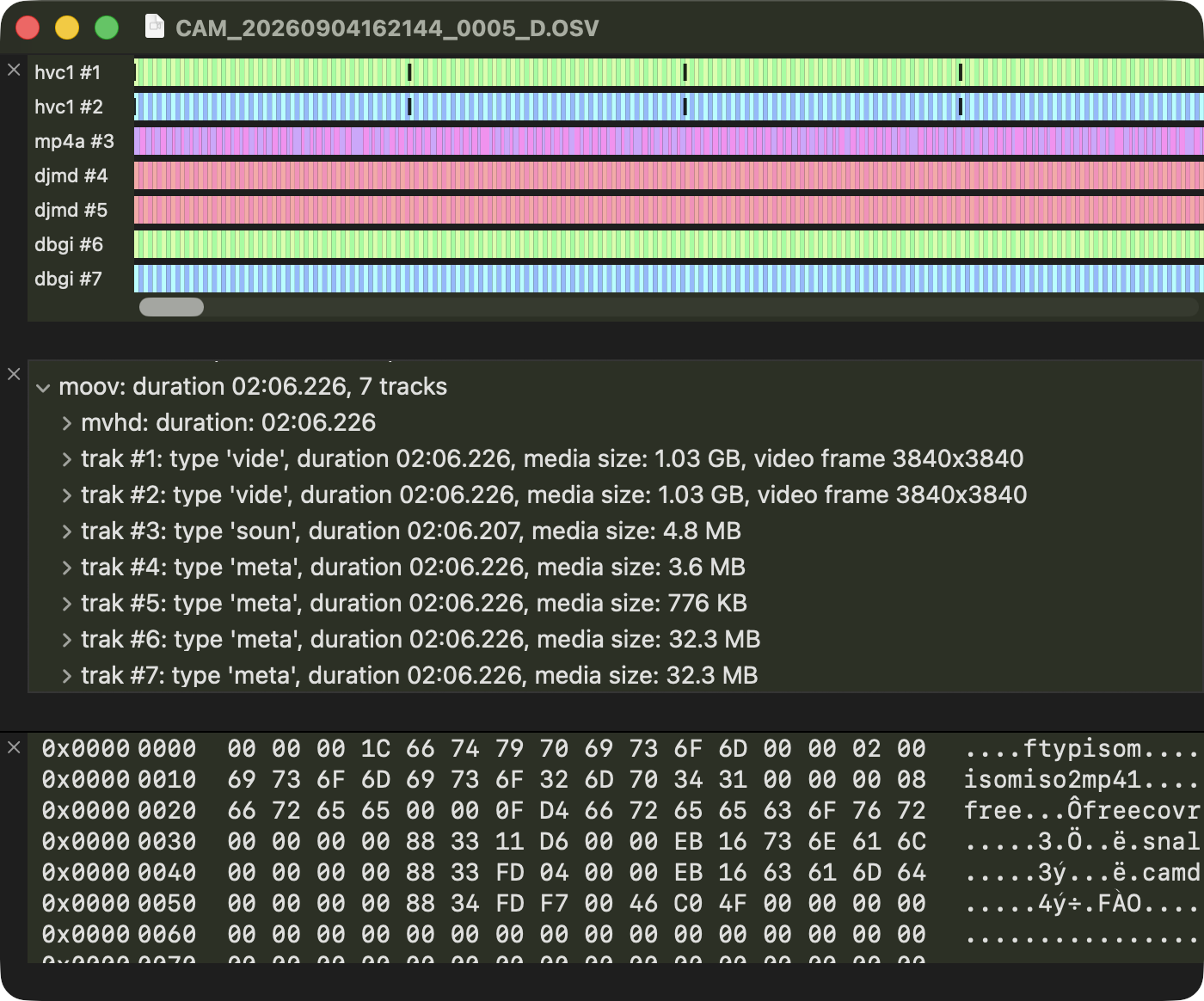
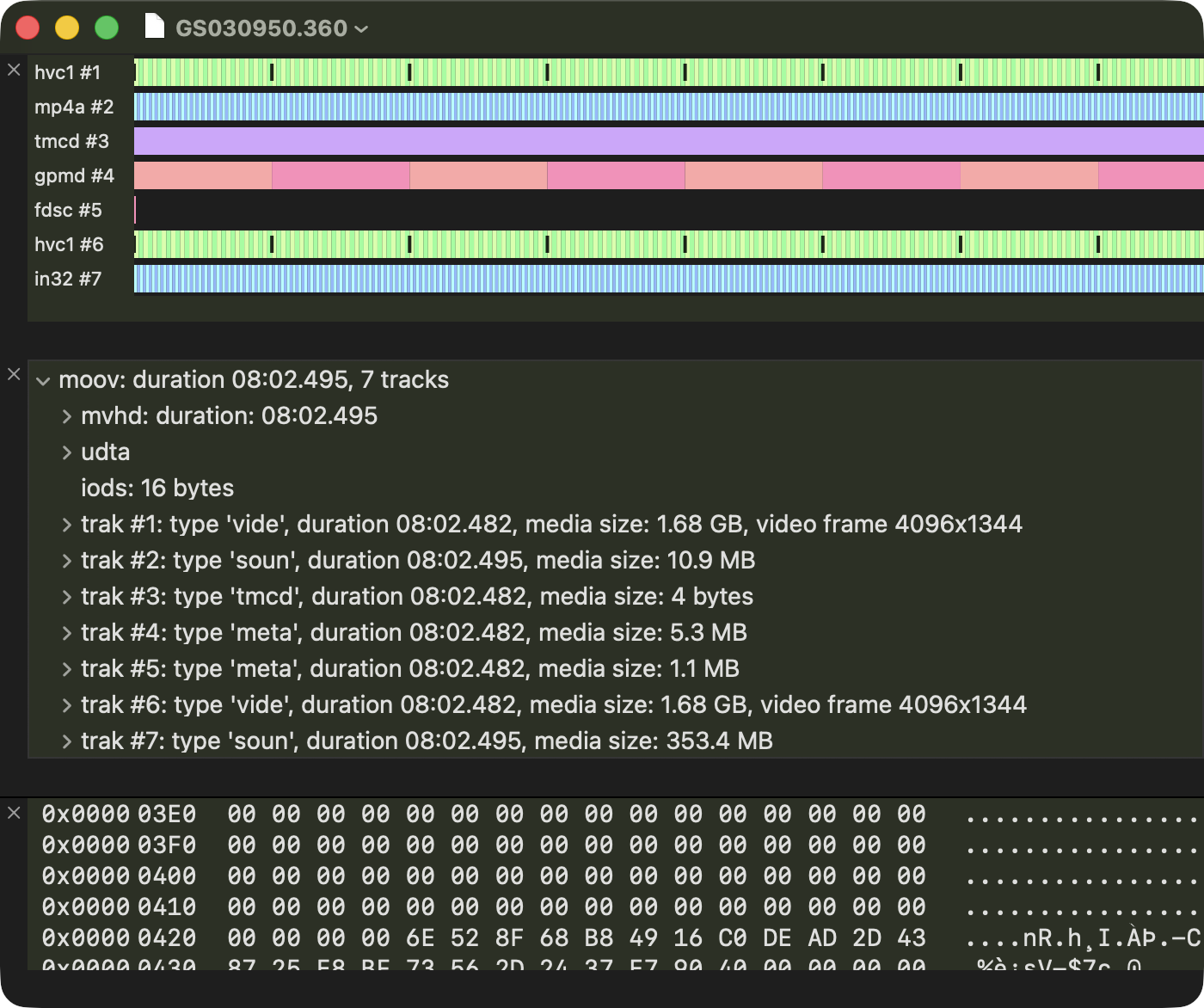
Let’s take a look at these in detail. Where is the GPS data? What all is in there?
GoPro Metadata: Well documented and rich
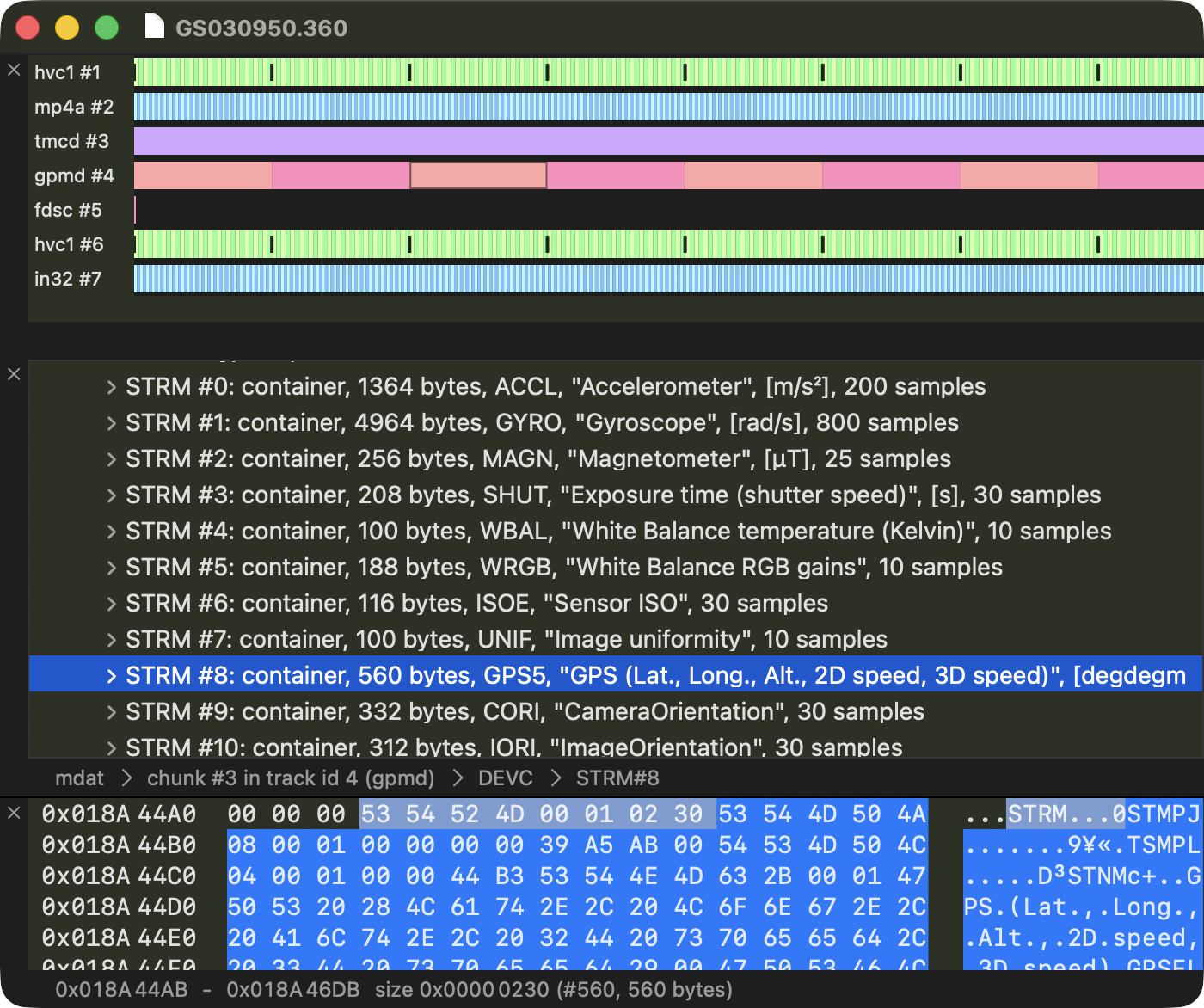
Some fascinating tidbits in there, most notably that gpmd track! Kudos to GoPro, they’ve gone to the trouble to document it, and even make gpmf-parser a utility to extract data from it.
So naturally I had to extend AtomicBrowser to show it all to us. And it is some rich data! Raw Accelerometer & Gyro data, GPS location, as well as synthesized CORI (Camera Orientation) & IORI (Image Orientation); pre- and post-stabilization information. Sweet!
DJI Metadata: Also rich, but not officially documented
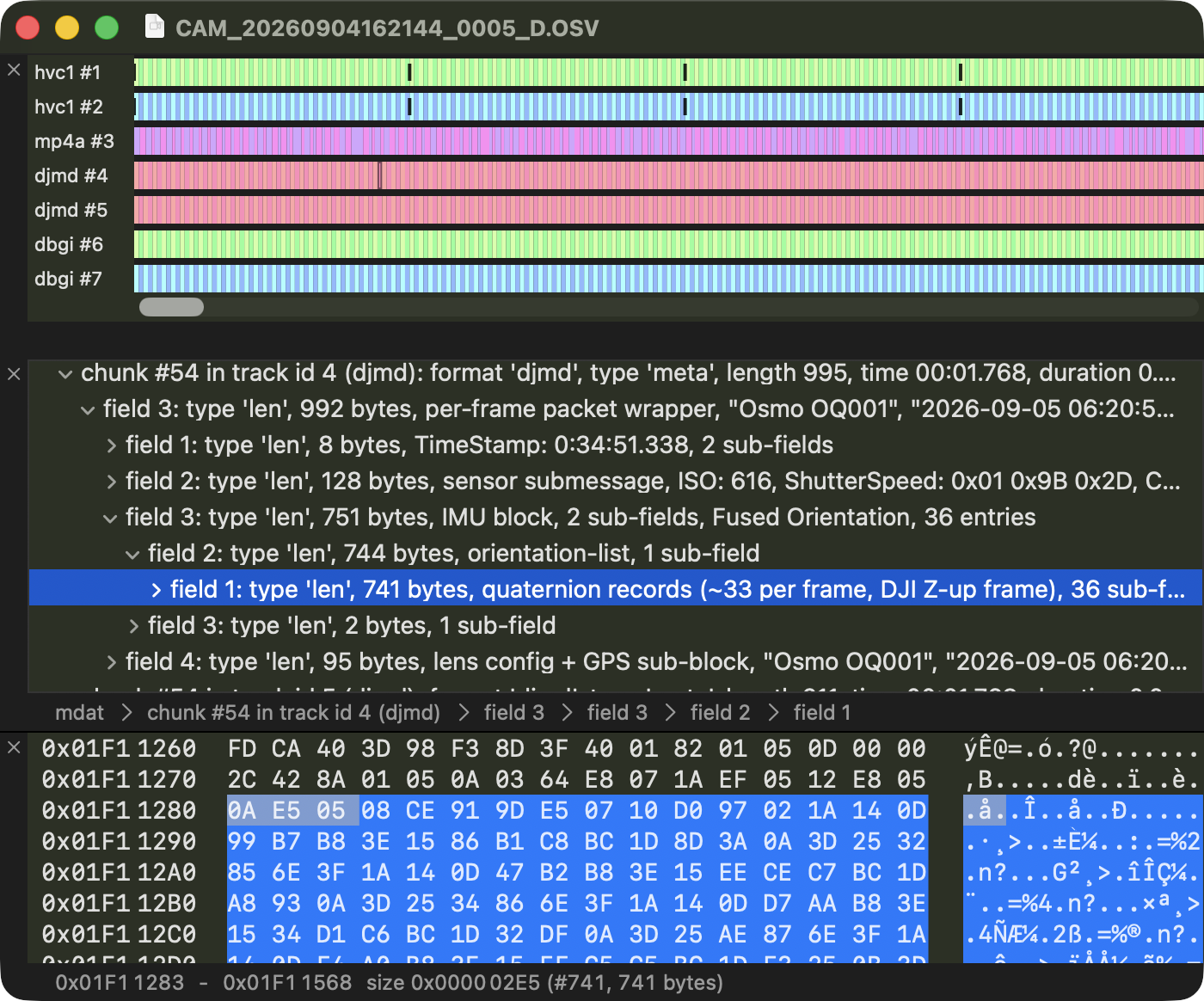
The DJI Osmo 360 is friendlier in one way: their single dual-fisheye track is easy to understand. But weirder in another: the IMU samples are in separate, undocumented data tracks.
Fortunately, their data stream turns out to be Protobuf based, which is a well known standard and relatively easy to make sense of.
What’s next
Over the next few posts we’ll cover:
- How to decode dual-track
.360on a singleAVSampleBufferDisplayLayer - The math that turns gyro quaternions into a stable camera orientation
If you’ve poked at this stuff before, I’d love to compare notes.
Thanks to those who have plumbed these depths
- Paul Bourke for writing up his findings about the GoPro MAX video layout here. I agree with him; the custom layout seems like a lot of unnecessary trouble to go to, both for encoders & decoders. EAC or raw fisheye is much simpler to encode and decode.
- Phil Harvey for building and maintaining exiftool, and the DJI information page at ExifTool - DJI Tag names. With some luck I’ll be able to contribute some of our findings there.
— David