Recap360

A 360° video player for the DJI Osmo 360 and GoPro 360 cameras. Native macOS (Apple Silicon, macOS 15+).
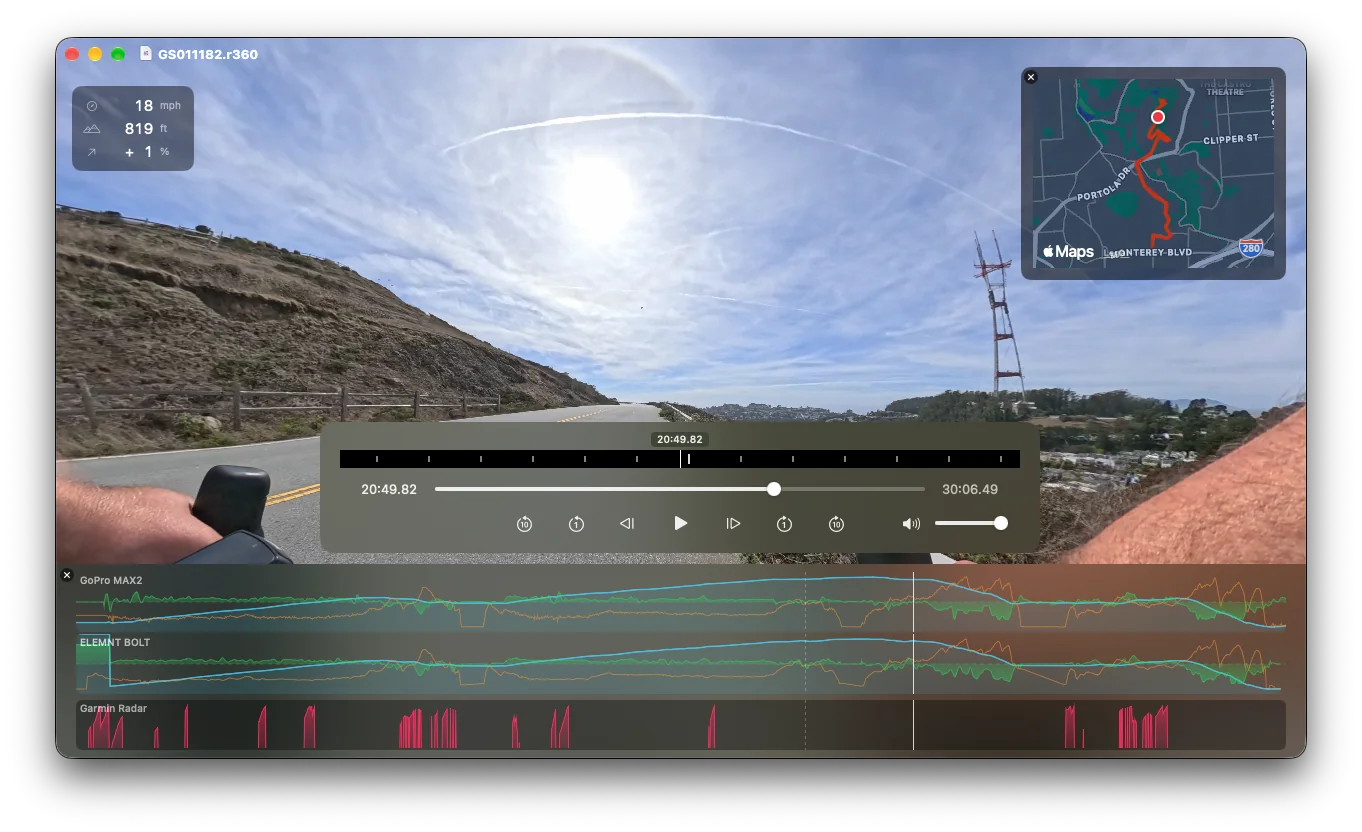
Recap360 plays your native capture files, right off the MicroSD card. No tedious import or export. It has your favorite features from the native 360 players, and none of the gripes:
- Shows your GPS route on a map (if your camera has GPS, of course). Hey, @GoPro: please add this to your player! Your cameras have on-board GPS, including altitude. That's unique and you should highlight that!
- A jog/shuttle wheel, for frame-by-frame review. GoPro Player really got this right. DJI Studio really, really needs this. Ohh and please, improve your scroll response
- Fast, hardware-accelerated playback, seek, and jog.
- Sensible horizon-levelling view control. DJI & Insta360 got this right. GoPro Player, please ditch your crazy arc-ball rotation
- It's just a player. 999 times out of 1000 that's all you need.
- Quickly loads *all* the media files, not one-at-a-time. Just drag the files from your session into the app, and Recap360 sorts, groups, and displays them. Fast.
- .fit file export; share your route with others or retracing your route.
- 9MB download, no account needed. GoPro: 29.3MB (not bad). DJI Studio: 719MB (yow.). Insta360 Studio: 996.6MB download, 2.1GB installed
In the interest of full disclosure: our image stabilization isn't quite as good as the native players. Not yet, but we're getting close.
— David